Android
SkiSquad is on Google Play: open it on your phone and install.

 SkiSquad
 is a ski tracker for friends who ski together. It shows everyone on the resort’s piste map as they ski, finds the way to any of them over lifts and pistes, and counts your runs, speed and vertical metres by itself.
Free to install: sign up in the app, start your squad and invite your friends.
A ski day with SkiSquad
Max and eight friends are skiing in Val Gardena, under the Sassolungo. This is what SkiSquad shows them through the day.
At the first lift
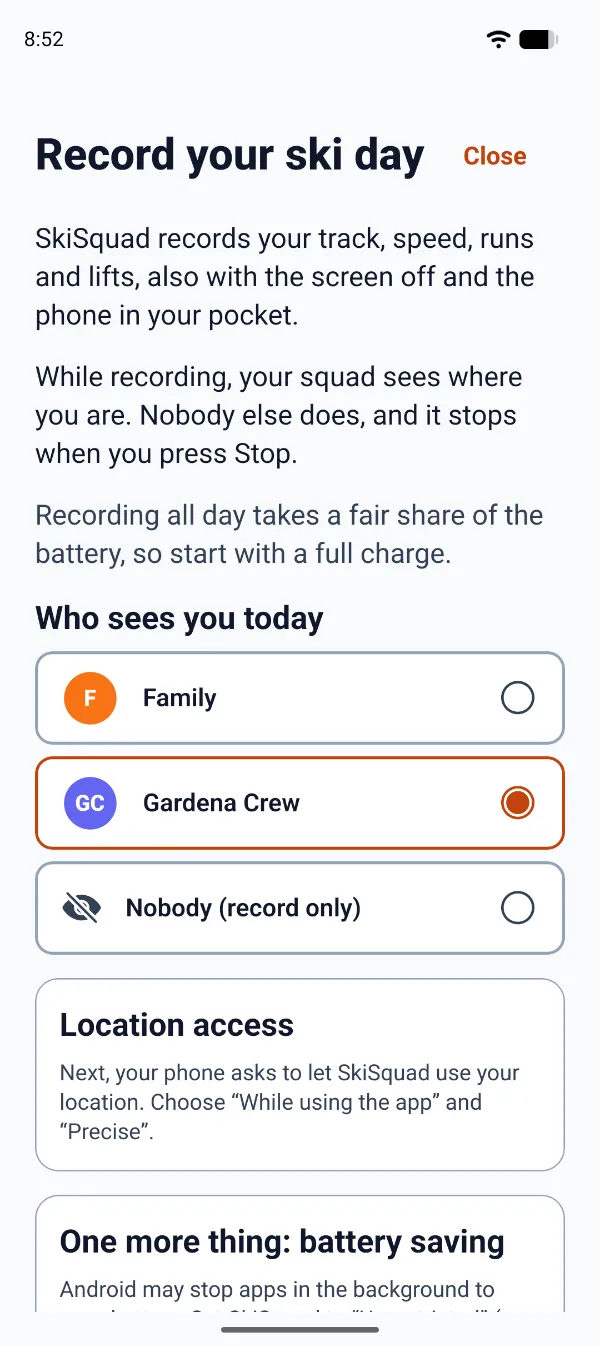
Tick the squads that see you today, or keep the day just for you. Then put the phone away; it records with the screen off.
On the mountain
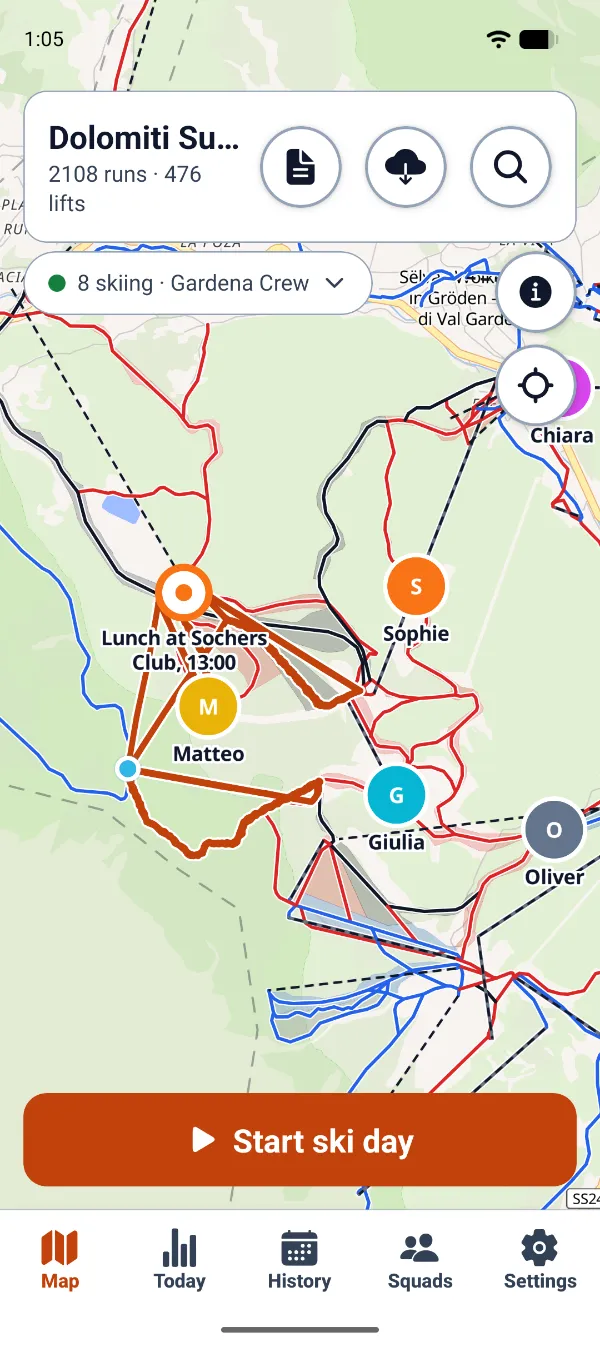
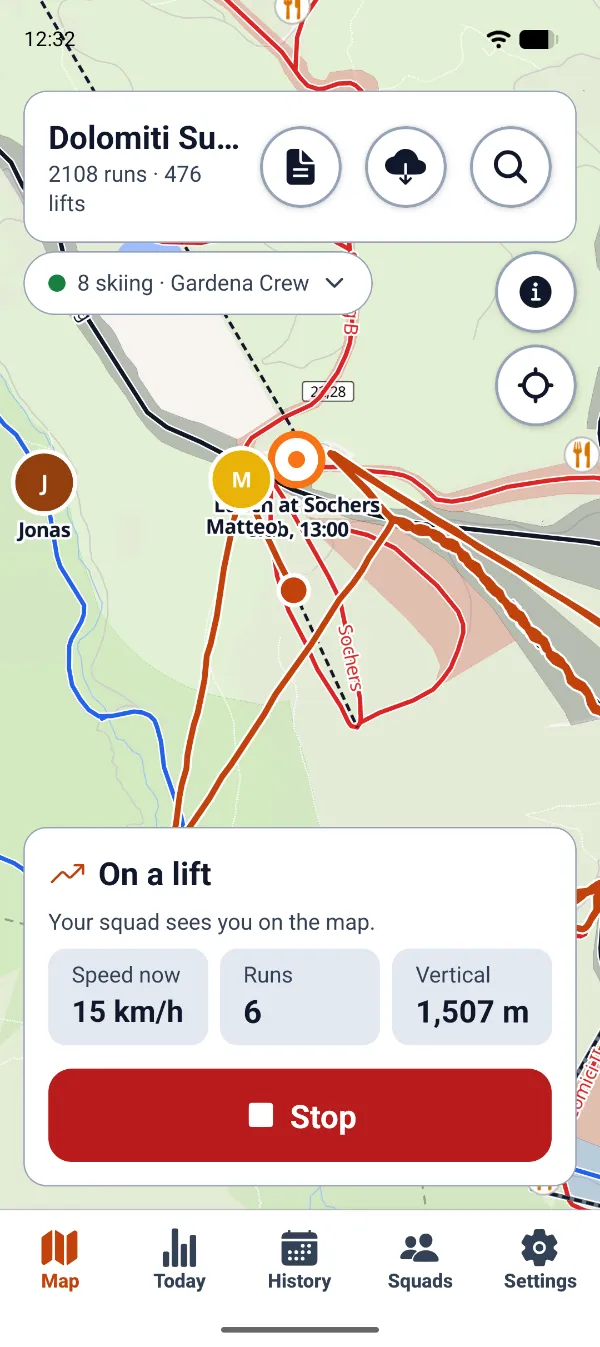
Your friends move on the resort’s piste map, live. No more “where are you?” calls from the chairlift.
While you ski
SkiSquad tells a run from a lift ride or a queue, and adds up runs, speed and vertical metres as you go. Nothing to tap.
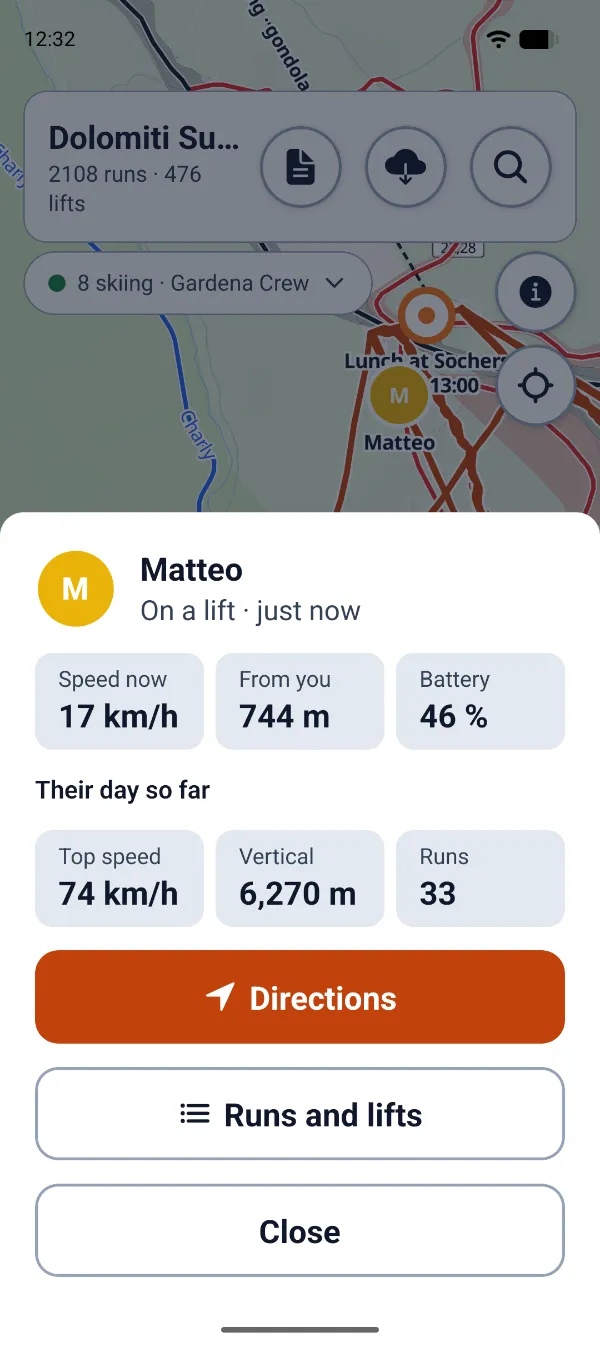
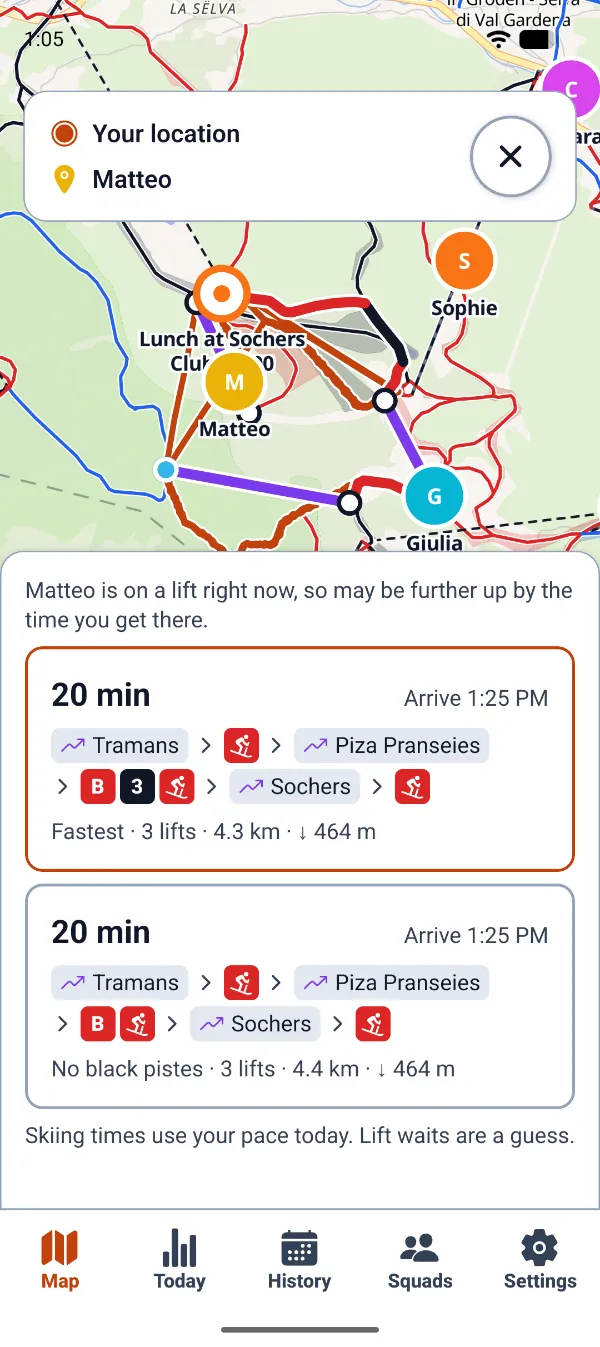
Where’s Matteo?
See their speed, how far away they are, how much battery they have left and how their day is going.
Find each other
The way to them over lifts and pistes, with how long it takes at your pace, and a way without black runs if you’d rather.
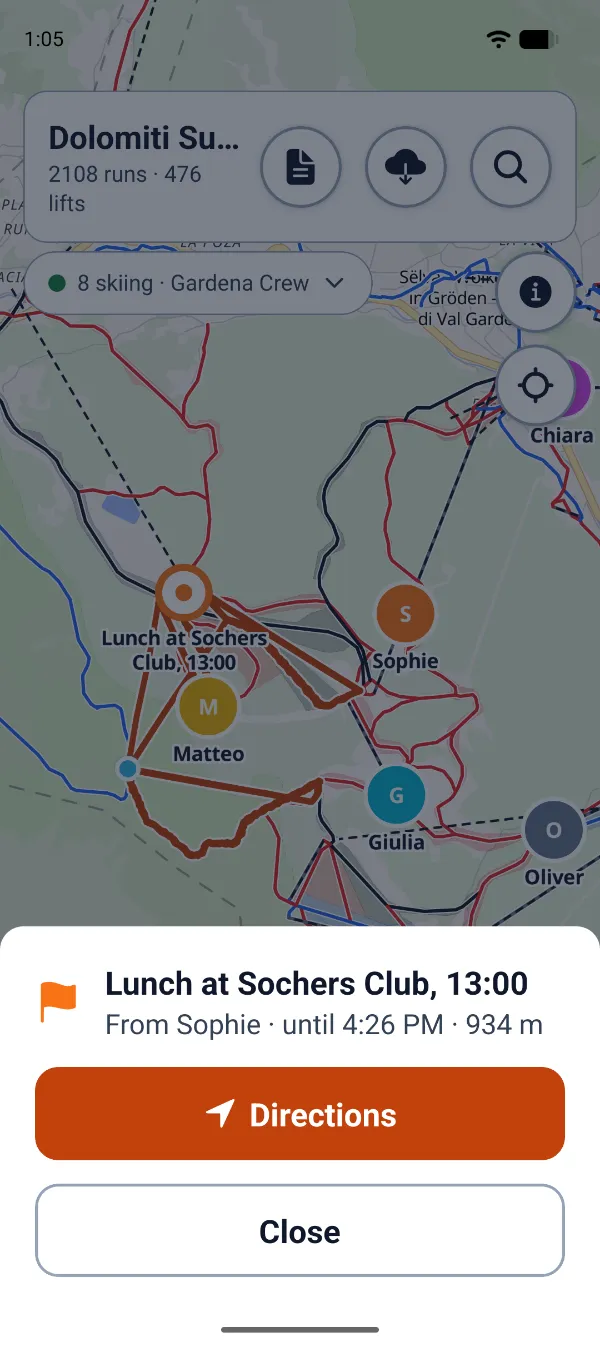
Lunchtime
Press and hold the map to drop a pin with a note. The squad gets a notification and the way there. Restaurants and huts are on the map too.
After the last run
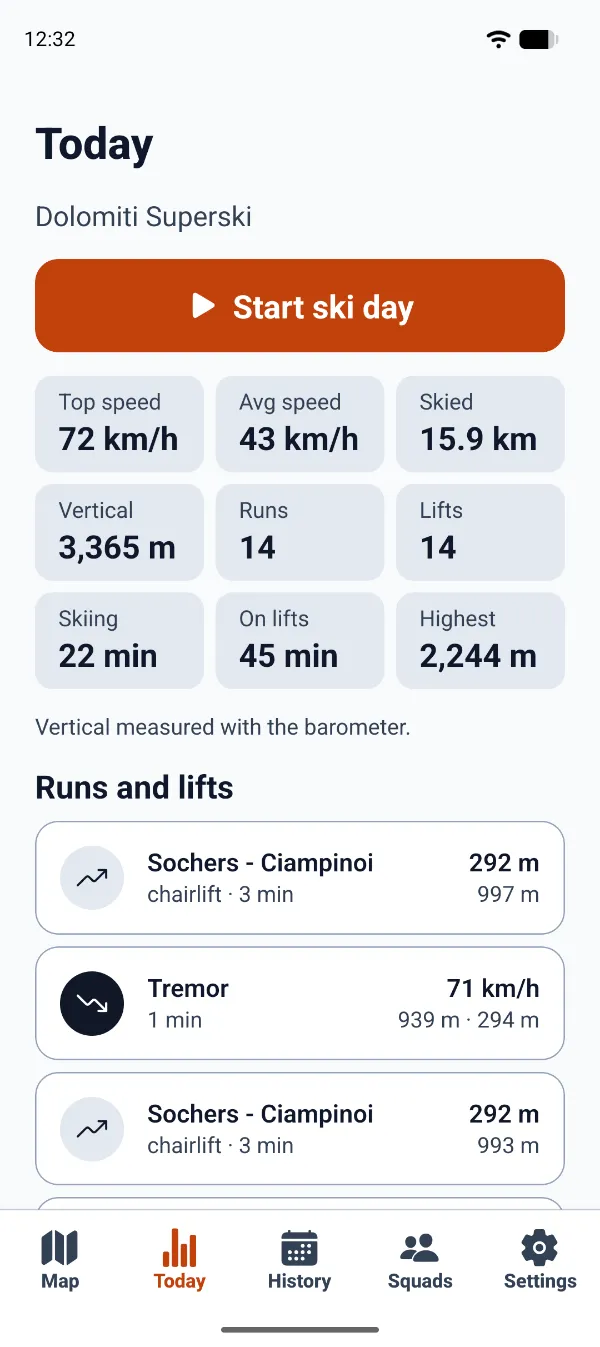
Top speed, distance and vertical for the day, and each run and lift ride with the name of the piste or lift you took.
Après-ski
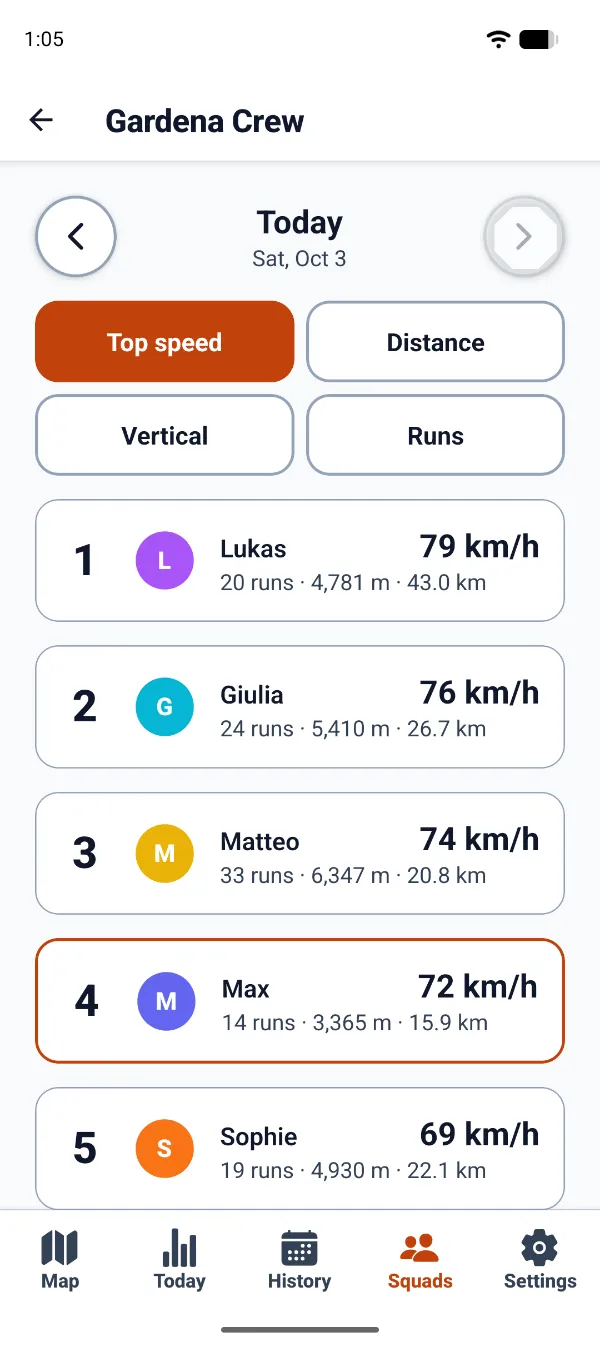
Leaderboards for the day and the season, by top speed, distance, vertical and runs. Someone always wants a rematch.
Swipe or scroll sideways through the day →
Is it for you?
SkiSquad is made for a group on the same mountain: a family, a ski club, or the friends you go away with every winter. Skiing on your own? Your day is recorded and counted all the same.
You lose each other on the mountain. Everyone is on one map, and the app shows the way to them.
You like your numbers. Top speed, vertical metres and every run, counted while the phone stays in your pocket.
You don’t want another subscription. Recording and your own stats are free for good. Squad days come as single days, packs or a season pass that never renews.
You care who sees where you are. Only your squad, only while you record, and nobody else. No ads, nothing sold.
What it does
SkiSquad shows who is where, gets you to each other, and keeps score while you ski.
Everyone who is recording shows up on the resort’s map, with their speed, how far away they are and what they’ve skied so far.
Tap a friend, a pin or a hut: the app finds the way over lifts and pistes, says how long it takes, and offers one without black runs.
Press and hold the map to drop a pin with a note, like “Lunch at 13:00”. Your squad gets a notification and sees the pin for two hours.
The app tells skiing from riding a lift or standing in the queue, and names each run after the piste you took.
Top speed, average speed, distance, vertical metres, time on runs and on lifts, and the highest point of the day, adding up into your season.
Compare the day or the whole season by top speed, distance, vertical and runs. When someone sets a new squad top speed, everyone hears about it.
Download your resort on Wi-Fi before you go: the map, runs and lifts then work offline, and your day uploads when the signal comes back.
Switch them on, and your squad is told when your battery runs low or when you haven’t moved for a long time.
Pricing
Everything you do on your own is free: recording, your stats, the map. The squad features come with a covered ski day: your first one is free, then single days, packs or a season pass. No subscription, and nothing renews by itself.
Try every squad feature for a whole day before you buy anything. After that, recording and your own stats stay free, and your squad stays on the map.
A single day, or a pack of 3, 5 or 7
A day is used only when you choose it, at Start or later that day, and unused days never expire. One person can buy days for the whole squad at once.
Every day from July to June
It doesn’t renew. Everything bought for you this season counts toward it, so a season never costs more than the pass.
Prices are in the app, shown by Google Play or the App Store in your currency, with your country’s taxes included.
| Feature | Free | Covered day |
|---|---|---|
| Your squad on the live map | Every 2 min | Every 15–60 s |
| Ghost mode | Included | Included |
| Recording, runs, tracks and all your own stats | Included | Included |
| The ski map, lifts, pistes and offline resort maps | Included | Included |
| Safety alerts and every privacy control | Included | Included |
| Squad leaderboards and results, for each squad day and the season | Not included | Included |
| Regroup, “meet here” pins and directions | Not included | Included |
On a covered day, positions update every 15 seconds on a run, 30 on a lift and 60 standing still. In the free version they update every 2 minutes: that keeps the server light for everyone, and it is easier on your battery too.
Private by design
Your position goes only to the squads you share the day with, and only while you’re recording. Press Stop, and it stops.
Hide from the map whenever you like. Your runs and stats are still recorded.
Friends see your numbers and your runs. The line you skied on the map is only for you.
SkiSquad runs on one small server of its own. Deleting your account deletes your ski days and everything else about you.
How it works
Install SkiSquad and sign in with Google, Apple or an email address. That creates your account in a minute; no invite needed.
Create a squad and share its invite link with your friends. Got a link from a friend instead? Open it, and you’re straight in their squad.
At the lift in the morning, press “Start ski day” and put the phone away. Press Stop when you’re done for the day.
Get the app
Free to install. Sign in, start your squad and invite your friends: your first shared ski day comes with everything.
SkiSquad is on Google Play: open it on your phone and install.
The iPhone app comes through TestFlight, Apple’s app for trying apps that aren’t in the App Store. Install TestFlight from the App Store, then open the link on your iPhone.
Coming soon.
Got an invite link from a friend? Once SkiSquad is installed, open the link again on the same phone: after you sign up, you’re straight in their squad.
Questions
Recording, your own stats and the map are free for good, and your first shared ski day comes with everything. After that, a day with your squad’s leaderboards, Regroup, pins and directions takes one ski day: a single day, a pack of 3, 5 or 7, or a season pass. There are no ads and no subscription.
Each skier uses a ski day of their own, and one person can buy days for the whole squad in one go. The app suggests what each person’s share is, and you settle up however you like.
You still see your squad on the map, updated every 2 minutes, and your own day is recorded and counted as always. Only that day’s squad results, Regroup, pins and directions wait for a ski day.
No. Anyone can sign up in the app and start a squad, and the app shows you the way. To ski with friends, share your squad’s invite link with them, or open theirs: a friend’s link puts you straight in their squad.
Recording keeps the GPS on all day, so it does take a fair share. Start with a full charge and keep the phone in an inside pocket, because cold drains batteries. On Android, let SkiSquad use the battery without restrictions (the app shows you how), or the phone may stop the recording.
Yes. Recording happens on the phone, and your day uploads as soon as there is a signal again. Download your resort’s map on Wi-Fi beforehand to have the map offline too. Your squad sees you on the map again once you’re back in range.
SkiSquad knows the runs and lifts of the resorts in Austria, Bosnia and Herzegovina, Bulgaria, France, Italy, Montenegro, North Macedonia, Serbia, Slovenia and Switzerland, and the resort maps are updated every week. Recording works anywhere, though: elsewhere your runs and lifts are still counted, just without their names.